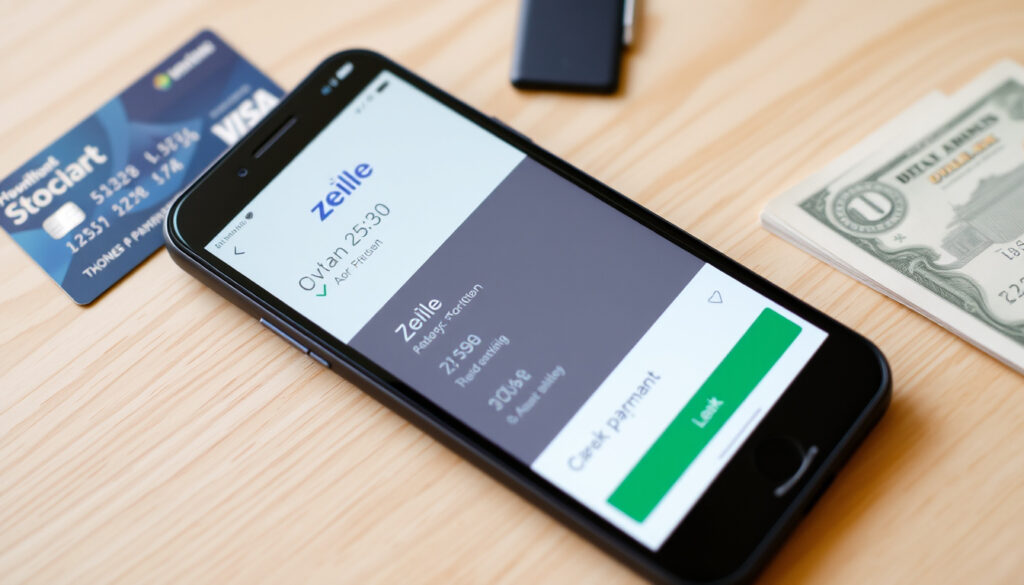
How to Use Zelle: Step-by-Step Guide with Fees & Limits
You’ve probably opened your banking app and noticed a “Send money with Zelle” button. More than 1,000 U.S. financial institutions now offer Zelle directly inside their apps — but the rules around fees, limits, and safety aren’t as simple as they seem.
Owner: Early Warning Services, LLC ·
Available in: Over 1,000 US banking apps ·
Standard Fee: $0 ·
Typical Transfer Speed: Minutes ·
Geographic Coverage: United States only
Quick snapshot
- Zelle charges no standard fees (Wells Fargo)
- Requires a US bank account (Navy Federal Credit Union)
- Transactions clear in minutes (Bank of America)
- No buyer or seller protection for goods (CFPB)
- Whether a specific small bank supports Zelle without calling them
- Your exact daily send limit without checking your bank’s app
- How Zelle handles dispute resolution when scammers are involved
- Launched 2017, now over 100 million users
- No announced plans for international expansion
- Regulatory scrutiny increasing (CFPB reports on disputes)
- More banks may integrate Zelle, but international access remains closed
- Consumer protection rules may tighten after CFPB pressure
- Alternatives like PayPal and Wise will remain the go-to for cross-border payments
The table below summarizes Zelle’s core specifications.
| Fact | Detail | Source |
|---|---|---|
| Owner | Early Warning Services, LLC | Wells Fargo |
| Launch Year | 2017 | Wells Fargo |
| User Reach | Over 100 million users | Bank of America |
| Standard Fee | Free to send and receive | Navy Federal Credit Union |
| Transfer Speed | Minutes | Bank of America |
| Daily Limit | Varies by bank ($500–$10,000+) | Wells Fargo |
How do I use Zelle for the first time?
The most direct way to start with Zelle is inside your existing mobile banking app. Over 1,000 U.S. financial institutions have integrated Zelle directly into their apps, so you usually don’t need a separate download or account. Wells Fargo (official FAQ) confirms that enrollment requires linking an eligible checking or savings account with a U.S. mobile number or email address.
Do I need a bank account to use Zelle?
Yes. To send or receive money via Zelle, you must have an eligible U.S.-based checking or savings account. Navy Federal Credit Union states plainly that Zelle is only available to members with an active account. There is no standalone Zelle app that lets you bypass this — enrollment always routes through your financial institution.
How do I enroll in Zelle?
- Open your bank’s mobile app or log in to online banking.
- Find the Zelle option — often under “Send Money” or “Payments.”
- Provide your email address or U.S. mobile number.
- Accept the terms and confirm via a verification code.
The process typically takes under two minutes. Bank of America notes that once enrolled, your contact information becomes your Zelle identifier.
How do I use Zelle with Chime?
Chime members can access Zelle directly within the Chime mobile app. Look for the “Pay Anyone” feature — that’s how Chime implements Zelle. The enrollment steps mirror those of traditional banks: you link your email or phone number to your Chime spending account. Chime (official site) states that transfers between Chime and other Zelle users typically complete in minutes.
New Zelle users often assume a separate app exists for enrollment. The reality: your bank controls access, which means if your bank isn’t a Zelle partner, you simply can’t enroll — no workaround exists.
The implication: Zelle’s accessibility is entirely dependent on your bank’s partnership, so if your bank doesn’t support it, there’s no workaround.
How do I pay someone with Zelle?
Sending money through Zelle is designed to feel like a text message exchange: select a contact, enter an amount, and confirm. Wells Fargo explains that recipients can be chosen by email address or U.S. mobile number, and they don’t need to use the same bank as you. The system notifies them to enroll if they haven’t already.
How do I send money?
- Open your banking app and navigate to Zelle.
- Select a recipient from your contacts or enter their email/phone.
- Enter the amount and review.
- Tap “Send” and confirm.
Transactions between enrolled parties usually complete in minutes. Bank of America puts it, “funds are typically available within minutes” once both sender and receiver are enrolled.
How do I receive money?
- Provide your enrolled email address or U.S. mobile number to the sender.
- When money arrives, you’ll receive a notification from your bank.
- If you haven’t enrolled yet, the notification will guide you to enroll — then the funds appear in your account.
No action is needed if you’re already enrolled and the sender uses the correct contact information. The money lands in your account automatically.
How do I use a Zelle QR code?
Some banks support QR code payments within their Zelle integration. Open the Zelle section in your banking app, look for a QR icon, and scan the recipient’s code to initiate payment. It’s a useful shortcut for in-person payments, though availability depends on your specific bank’s app design. Citizens Bank confirms the feature exists but notes it varies by institution.
How do I use Zelle online?
Zelle can be used through your bank’s website (online banking), not just the mobile app. The steps mirror the app experience: log in, find Zelle under transfers or payments, select a recipient, enter the amount, and confirm. Wells Fargo notes that limits and features online may differ slightly from the mobile app, but enrollment carries over.
Once you send a Zelle payment to the wrong person, it’s nearly impossible to reverse. CFPB (consumer protection bureau) data shows that Zelle-related complaints about unauthorized payments have risen sharply, and the platform offers no buyer protection for goods and services.
This underscores the importance of verifying recipient details before sending.
Are there any fees to send money using Zelle?
The short answer is no — Zelle itself does not charge fees for standard transfers. Wells Fargo states: “Zelle does not charge a fee to send or receive money.” Bank of America echoes this: “There is no fee to send or receive money with Zelle.” Navy Federal Credit Union and BECU also confirm zero fees for standard sends and receives.
How much does Zelle charge to send $1000?
Zero dollars in standard fees. Sending $1,000 via Zelle costs nothing from Zelle’s side. However, your bank might apply its own account fees — things like overdraft or NSF fees if you lack sufficient funds — but these are separate from Zelle’s fee structure. Navy Federal Credit Union explicitly warns that “other account fees such as overdraft fees can still apply.”
What are the daily sending limits?
Limits vary significantly by bank. Here’s a snapshot from major institutions:
| Bank | Daily Limit | 30-Day Limit | Notes |
|---|---|---|---|
| Wells Fargo (consumer) | $3,500 (rolling 24h) | $20,000 (rolling 30 days) | Wells Fargo |
| Wells Fargo (business) | $15,000 (rolling 24h) | $60,000 (rolling 30 days) | Wells Fargo |
| Navy Federal (fast) | $2,000 | $12,000 | Navy Federal Credit Union |
| Navy Federal (standard) | $3,000 | $3,000 | 1-3 business days |
| BECU | $2,000 | $7,500 | Min send: $5 |
| Bank of America | Varies (rolling or calendar basis) | Varies | Bank of America |
| Citizens Bank | Based on online banking profile | – | Check in-app for exact limits |
The pattern: limits are bank-specific and often depend on your account history and payment behavior. Wells Fargo says limits “vary by account, online banking history, recipient, and payment history.” Citizens Bank advises customers to tap the “Zelle Limits” question mark in their app to see their personal caps.
The implication: if you regularly send large sums, check your bank’s specific limits before relying on Zelle for a big payment. The $500 minimum some people expect is actually far lower than most bank limits — but the upper end can be restrictive for business users.
What is the downside to Zelle?
Zelle’s speed is its biggest advantage — and its biggest risk. Unlike credit cards or PayPal, Zelle offers no built-in buyer or seller protection for goods and services transactions. CFPB (consumer protection bureau) has published multiple alerts about Zelle scams, noting that once money is sent to fraudsters, it’s almost impossible to recover.
Is Zelle safe to use?
Zelle is safe in the sense that the network itself is encrypted and managed by major banks. But the real danger isn’t the technology — it’s the social engineering. FTC (Federal Trade Commission) consumer advice warns that scammers impersonate banks, government agencies, or sellers to trick users into sending money that can’t be reversed. Zelle is safe for payments to people you trust; it’s dangerous for transactions with strangers.
What are common Zelle scams?
- Fake bank alerts: someone pretending to be your bank asks you to “verify” by sending money to yourself.
- Merchant fraud: sellers on platforms like Facebook Marketplace demand Zelle payment and then disappear.
- Overpayment scams: a “buyer” sends more than the asking price, asks you to refund the difference — original payment used stolen funds.
FTC recommends never using Zelle to pay people or businesses you don’t personally know.
Does Zelle offer purchase protection?
No. Zelle’s terms explicitly state that it is designed for payments between people who know and trust each other. Wells Fargo notes that “Zelle should only be used to send money to people you know.” If a product never arrives or is defective, your bank has no obligation to help you get the money back — unlike credit cards with chargeback rights.
You get speed and zero fees in exchange for zero protection. For transactions with private sellers or online marketplaces, a credit card or PayPal with buyer protection is the safer route, even if it costs a small fee.
In essence, Zelle’s speed comes at the cost of safety, so use it only with trusted contacts.
Can I use Zelle in Ireland?
No. Zelle is strictly limited to the United States. Both sender and recipient must have a U.S.-based bank account in good standing. Wells Fargo confirms that “Zelle is only available for sending money between U.S. bank accounts.”
Which countries accept Zelle?
Only the United States. Even if you’re a U.S. citizen living abroad, your recipient must also have an eligible U.S. bank account. There is no mechanism to send money to a non-U.S. bank account through Zelle. Navy Federal Credit Union states that “international transfers are not currently supported.”
What are the best alternatives for international money transfers?
For sending money from the U.S. to Ireland or other countries, several options fill the gap:
- Wise: real exchange rates, low fees, supports transfers to bank accounts in 70+ countries including Ireland.
- PayPal: works in over 200 countries, offers purchase protection, but fees are higher than Wise.
- Western Union: cash pickup option, useful if the recipient doesn’t have a bank account.
Wise (international transfer service) notes that if a bank is not a Zelle partner, the weekly send limit is $500 — so for larger international transfers, dedicated platforms are essential.
Does Zelle work with PayPal?
No direct integration exists. Zelle and PayPal are completely separate platforms with no way to link accounts or transfer funds between them. Wells Fargo confirms that Zelle is a separate service from PayPal, Venmo, or Cash App.
Can I link my Zelle account to PayPal?
It’s not possible. Both platforms operate independently, with their own networks and terms. You can, however, use your bank account as a funding source for both — just not transfer directly between the two services.
Zelle vs. PayPal vs. Venmo vs. Cash App
| Feature | Zelle | PayPal | Venmo | Cash App |
|---|---|---|---|---|
| Standard fee | $0 | $0 (bank transfer) / 2.99% (goods) | $0 (bank transfer) / 1.9%+$0.10 (goods) | $0 (bank transfer) / 2.75% (instant) |
| Transfer speed | Minutes | 1-3 days (standard) / instant (fee) | 1-3 days (standard) / instant (fee) | 1-3 days (standard) / instant (fee) |
| International | No | Yes (200+ countries) | No (US only) | US/UK only |
| Buyer protection | No | Yes (goods and services) | Yes (goods and services) | Limited |
| Max send (typical) | $500–$15,000/day | $10,000–$60,000/transaction | $7,000/week | $7,500/week |
| Bank integration | Inside bank app | Standalone app | Standalone app | Standalone app |
PayPal (payment platform) offers international transfers and purchase protection — features Zelle lacks. Zelle transfers are typically faster than standard PayPal bank transfers because they operate over the same banking network (RTP/Ach). The trade-off: Zelle is faster and free for domestic peer-to-peer payments, but PayPal wins on protection and global reach.
Upsides of Zelle
- Free to send and receive
- Transfers complete in minutes
- Integrated into existing banking apps
Downsides of Zelle
- No buyer or seller protection
- Only available in the United States
- Once sent, payments cannot be reversed
“Zelle is a great way to send money to friends and family, but it should not be used to pay people or businesses you don’t know.”
— FTC (Federal Trade Commission), Consumer Advice
“If you send money to the wrong person or a scammer, the transaction is nearly impossible to reverse.”
— CFPB (Consumer Financial Protection Bureau), Consumer Alert
“Zelle is available only for sending money between U.S. bank accounts. Both parties must have an eligible account.”
— Wells Fargo, Official Zelle FAQ
“There is no fee to send or receive money with Zelle when using Bank of America’s app or online banking.”
— Bank of America, Zelle Information Page
For U.S. consumers who need to split rent, pay a friend back for dinner, or send money to family quickly, Zelle is the fastest and cheapest option available. But for international needs, purchases from strangers, or transactions where you might need recourse, the alternatives — PayPal, Wise, or even a credit card — offer protections that Zelle simply doesn’t. The choice comes down to speed versus safety, and for anyone sending money across borders, the decision is clear: use a platform built for that purpose, not a domestic tool pretending to be global.
wise.com, bossrevolution.com, sabes.org, remitly.com, financebuzz.com, finder.com, p2pbusinesspayments.com, becu.org
Understanding how Zelle works can help you use the service more confidently.
Frequently asked questions
Can I cancel a Zelle payment after sending it?
Generally, no. Once a Zelle payment is sent and the recipient is enrolled, the transaction is immediate and cannot be reversed. If the recipient hasn’t yet enrolled, the payment can be canceled before they claim it. Wells Fargo recommends contacting your bank immediately if you made a mistake.
How long does it take for a Zelle transfer to complete?
Most transfers between enrolled users complete within minutes, often instantly. Some banks offer a “standard” option that takes 1-3 business days. Navy Federal Credit Union offers both a “faster” (minutes) and “standard” (1-3 business days) option with separate limit buckets.
What happens if I send money to the wrong person?
Zelle provides no mechanism to reverse payments once they’ve been claimed by the recipient. CFPB advises contacting your bank immediately, but recovery is not guaranteed. This is why double-checking recipient details before sending is essential.
Is there a limit for receiving money?
Receiving limits are typically higher than sending limits and vary by bank. Most institutions set receiving caps that range from $5,000 to $20,000 per day or per month. Check your bank’s terms for exact figures.
Do I need a separate Zelle app?
No. The Zelle functionality is built into your bank’s existing mobile app or online banking platform. There is no standalone Zelle app for direct enrollment — you must go through your financial institution. Citizens Bank confirms you access Zelle via your bank’s app.
Can I use Zelle for business payments?
Yes, many banks support business accounts with higher limits. Wells Fargo business accounts can send up to $15,000 per rolling 24-hour period and $60,000 per rolling 30-day period. However, Zelle still offers no purchase protection for business transactions.
How do I check if my bank supports Zelle?
Log in to your bank’s mobile app or online banking and look for “Zelle” in the transfers, payments, or send money section. If it’s not there, check your bank’s website or call customer service. Citizens Bank notes that you can also tap the Zelle icon in the app to see limits and availability.
Related reading
More related posts
 The Pitt Season 2 Release Date, Cast Changes & Schedule
 Real Madrid vs Villarreal CF Lineups: Starting XI & Match Stats
 Dortmund v Monterrey: Final Score, Stat , Key Moment (2025)
 DOT Physical Near Me: Cost & Walk-Ins
 How Many Tablespoons in 1/4 Cup? 4 tbsp & Conversion Chart
 4 Weeks From Today: Date Calculator, Days, Hours & More
 New Years Eve Outfit Ideas 2026: 3-3-3 Rule & Lucky Colors
 Tulsa King Season 2: Episodes, Ending, and Season 3 Updates
