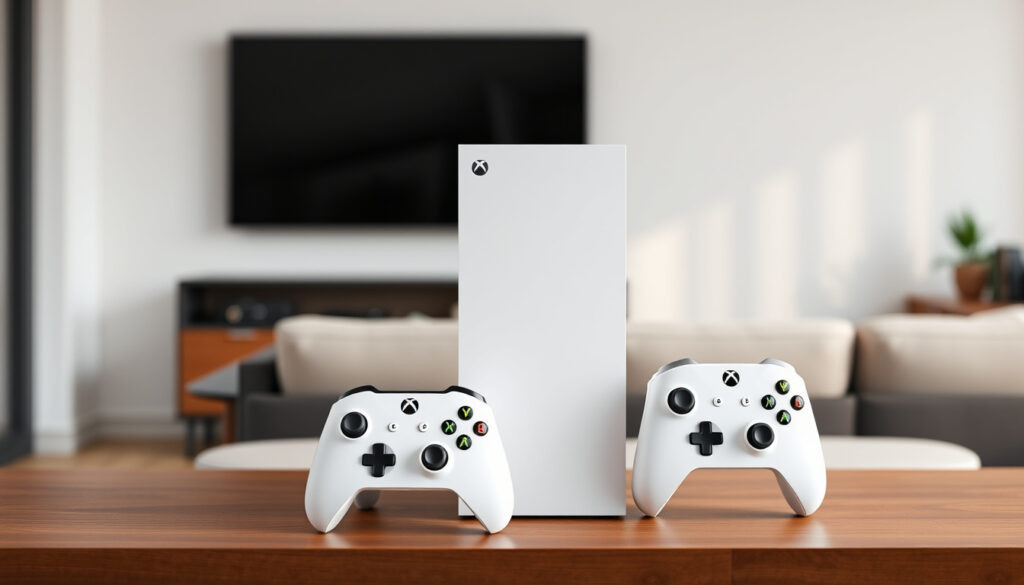
Xbox Series X vs Series S: 9 Key Differences Compared (2025)
Choosing between the Xbox Series X and Series S often comes down to a single question: how much performance do you actually need? Both consoles play the same library of games, but the differences in power, storage, and price are significant enough to shape your experience for years.
Xbox Series X launch price: $499 USD · Xbox Series S launch price: $299 USD · Series X GPU performance: 12.15 TFLOPS · Series S GPU performance: 4 TFLOPS · Series X internal storage: 1 TB NVMe SSD · Series S internal storage: 512 GB NVMe SSD
Quick snapshot
- Series X GPU runs at 12.15 TFLOPS; Series S at 4 TFLOPS (Alibaba Electronics)
- Series X includes a disc drive; Series S is digital-only (Prelaunch)
- Both consoles play all Xbox Series X|S games (Xbox Support)
- Whether GTA 6 will run at 60 FPS on Series S
- Exact usable storage on both consoles after system files
- Whether future high-end games will fully utilize Series X’s extra GPU headroom
- Both consoles remain current-gen through 2025; no hardware refresh announced
- Xbox continues support via Game Pass and first-party titles on both consoles
The specs table below lays out the main differences side by side.
| Specification | Xbox Series X | Xbox Series S |
|---|---|---|
| Price (launch) | $499 USD | $299 USD |
| GPU Performance | 12.15 TFLOPS | 4 TFLOPS |
| RAM | 16 GB GDDR6 | 10 GB GDDR6 |
| Storage | 1 TB NVMe SSD | 512 GB NVMe SSD |
| Disc Drive | 4K UHD Blu-ray | None (digital only) |
| Target Resolution | Native 4K | 1440p (upscaled to 4K) |
What is the difference between Xbox Series X and S?
Hardware specifications compared
- The Series X packs a custom AMD Zen 2 CPU at 3.8 GHz and a GPU delivering 12.15 TFLOPS, while the Series S uses the same CPU at 3.6 GHz and a 4 TFLOPS GPU (Alibaba Electronics).
- RAM differs: 16 GB GDDR6 on the X versus 10 GB GDDR6 on the S (Prelaunch).
Which is better, Xbox Series X or S?
- Better is defined by your display and budget: Series X wins for 4K and physical media; Series S wins for affordability and compactness.
Resolution and graphical performance
- Series X targets native 4K at up to 120 FPS; Series S targets 1440p with 4K upscaling at up to 120 FPS (Alibaba Electronics).
For anyone with a 4K TV, the Series X delivers that resolution natively. The Series S relies on upscaling, which can soften details in fast-moving scenes.
The implication: If you own a 4K display and want the sharpest image, the Series X is the natural fit. Series S owners on 1080p or 1440p monitors will rarely notice the difference.
Is the Xbox Series S slower than the X?
CPU and GPU speed comparison
- Both consoles use the same AMD Zen 2 8-core/16-thread CPU, but Series X runs at 3.8 GHz (3.6 GHz with SMT) while Series S is clocked at 3.6 GHz (Alibaba Electronics).
- The GPU gap is larger: Series X has 52 compute units at 1.825 GHz (12.15 TFLOPS) vs. 20 CUs at 1.565 GHz (4 TFLOPS) on Series S (Alibaba Electronics).
Loading times and memory bandwidth
- Series X’s SSD delivers ~2.2 GB/s raw throughput; Series S reaches ~2.4 GB/s, meaning Game Pass titles can load marginally faster on the smaller console (Alibaba Electronics).
- Memory bandwidth: Series X has 10 GB of 560 GB/s and 6 GB of 336 GB/s; Series S has 8 GB of 224 GB/s and 2 GB of 56 GB/s, which affects texture streaming and asset quality.
The Series S isn’t slower in CPU-bound tasks—it’s the GPU that limits frame rates and resolution. For most games, frame rate targets are the same, but the Series S will run at lower internal resolutions.
The catch: The Series S can feel just as fast in menus and loading screens, but once the action starts, the GPU deficit shows in pixel count and detail.
What are the disadvantages of the Xbox Series S?
Storage limitations
- Series S has 512 GB internal storage (364 GB usable), which holds roughly 6-8 modern games (Prelaunch). Series X’s 1 TB holds about 10-12.
- External drives work for backward-compatible games, but Xbox Series X|S optimized titles require the internal SSD or an expansion card (Alibaba Electronics).
No disc drive for physical media
- Series S cannot play physical game discs or 4K Blu-ray movies (Prelaunch). All purchases must be digital through the Microsoft Store.
Lower native resolution
- Games optimized for Series S run at lower resolutions (often 1440p or below) and may have reduced texture quality (Alibaba Electronics).
After Call of Duty and a handful of Game Pass titles, the Series S’s 364 GB usable space disappears quickly. An expansion card costs nearly half the console’s price.
What this means: The Series S is a trade-off machine. You save $200 upfront but pay in storage capacity, resolution, and disc support. For a secondary TV or a child’s room, it’s a smart buy. For a primary gaming setup, the limitations can become frustrating.
Is it worth upgrading from the Xbox Series S to the Series X?
When upgrading makes sense
- If you have a 4K TV and want native 4K graphics, larger storage, or the ability to play physical discs, the Series X upgrade is justified (Alibaba Electronics).
- The cost difference of $200 (at launch) buys a significant leap in GPU power (3× more TFLOPs) and double the storage.
When to stay with the Series S
- Series S remains adequate for 1080p/1440p monitors, casual gaming, and Game Pass users who don’t need a disc drive (Prelaunch).
- If you don’t own a 4K TV or don’t mind lower resolution, the extra $200 is better spent on games or an expansion card.
The trade-off: Upgrading makes sense only if the specific shortcomings—storage, resolution, or disc use—are actually limiting your experience. For most Series S owners on 1080p displays, the upgrade won’t change what you see on screen.
Can the Xbox Series S run GTA 6?
Compatibility and expected performance
- Rockstar has confirmed GTA 6 is coming to Xbox Series X|S (Alibaba Electronics). No specific frame rate or resolution targets announced for Series S.
Developer optimization for Series S
- Developers are required to ship feature-compatible versions on Series S, but graphical settings (textures, shadows, draw distance) will likely be reduced (Prelaunch).
Why this matters: GTA 6 is expected to push current-gen hardware. Series S owners may need to accept a 1080p or 1440p experience with lower settings, while Series X aims for a more stable 4K presentation.
Six specs, one pattern: The Series X is built for 4K fidelity and physical media; the Series S is a digital-only entry point optimized for 1440p gaming at a lower price.
| Feature | Xbox Series X | Xbox Series S |
|---|---|---|
| CPU | AMD Zen 2 8-core @ 3.8 GHz | AMD Zen 2 8-core @ 3.6 GHz |
| GPU | 12.15 TFLOPS (52 CUs @ 1.825 GHz) | 4 TFLOPS (20 CUs @ 1.565 GHz) |
| RAM | 16 GB GDDR6 | 10 GB GDDR6 |
| Storage | 1 TB NVMe SSD | 512 GB NVMe SSD |
| Optical Drive | 4K UHD Blu-ray | None |
| Target Resolution | Native 4K @ 120 FPS | 1440p @ 120 FPS (upscaled to 4K) |
| HDMI | HDMI 2.1 with VRR, ALLM | HDMI 2.1 with VRR, ALLM |
| Power Supply | 310 W | 110 W |
| Dimensions | 30.1 x 15.1 x 15.1 cm | 27.5 x 6.5 x 15.1 cm |
| Price (launch) | $499 USD | $299 USD |
Upsides
- Larger 1 TB SSD holds more games
- Disc drive enables physical games and 4K Blu-ray
- Up to 3× more GPU power for native 4K gaming
Downsides
- Heavier and louder than Series S
- Higher initial cost ($200 more)
- Overkill for 1080p or 1440p setups
What’s confirmed vs what’s unclear
Confirmed facts
- Series X has 12.15 TFLOPS GPU; Series S has 4 TFLOPS (Alibaba Electronics)
- Series X includes a disc drive; Series S does not (Prelaunch)
- Both consoles play all Xbox Series X|S games (Xbox Support)
What’s unclear
- Whether GTA 6 will run at 60 FPS on Series S
- Exact usable storage after system files on each console
“Xbox Series X is designed for the most demanding gamers, offering true 4K and 120 FPS.”
“The Series S is a fantastic entry point, but the trade-offs in storage and resolution are real.”
CNET via Alibaba Electronics
For Xbox Series X buyers who value 4K fidelity and physical media, the premium is justified. For Series S owners, the $200 saved can fund a Game Pass subscription or an expansion card. The choice is clear: match the console to your display and your media habits.
Related reading: Is Battlefront 2 Crossplay? Xbox PC PS4 PS5 Status
gamingdeals.com, en.wikipedia.org, bestbuy.com, youtube.com, youtube.com, versus.com
Frequently asked questions
Does Xbox Series S support ray tracing?
Yes, both Series X and Series S support hardware-accelerated ray tracing, though performance and resolution will be lower on the Series S due to its reduced GPU power.
Can Xbox Series X play Xbox One games?
Yes, Series X is backward compatible with thousands of Xbox One, Xbox 360, and original Xbox games. The same applies to Series S, with the same library but at lower resolutions where applicable.
Is the Xbox Series S worth buying in 2025?
For casual gamers on a 1080p monitor, or as a second console, yes. For anyone with a 4K TV or a large collection of physical discs, the Series X is a better long-term value.
Will all future Xbox games run on Series S?
Microsoft requires all Xbox Series X|S games to be compatible with both consoles. Developers must ensure feature parity, though graphical settings may differ.
What is the difference in load times between Series X and S?
Both use custom NVMe SSDs; Series S actually has slightly higher raw throughput (2.4 GB/s vs 2.2 GB/s), so load times are virtually identical in most games.
Can I use an external hard drive with Series S?
Yes, for backward-compatible games. Xbox Series X|S optimized games require the internal SSD or the Seagate Storage Expansion Card (sold separately).
Is the Xbox Series X backward compatible with all Xbox games?
Backward compatibility covers thousands of titles from Xbox, Xbox 360, and Xbox One. A full list is available on the official Xbox website.
More related posts
 Hand Tattoos for Men: Pain, Risks, Best Designs
 Woman in the Window: Twist, Killer, Ending & Worth Watching
 76ers vs Lakers Match Player Stats – Box Score and Key Highlights
 Free Lyrics KPop Demon Hunters: English, Romanized, Meaning
 Food High in Iron: Top Iron-Rich Food & Ab orption Tip
 Graco Pack N Play – Specs Safety Weight Limits Best Models 2025
 Barre Classes Near Me: Benefits, Comparisons, and More
 Call of Duty 2024: Black Ops 6 Release Date & Details
