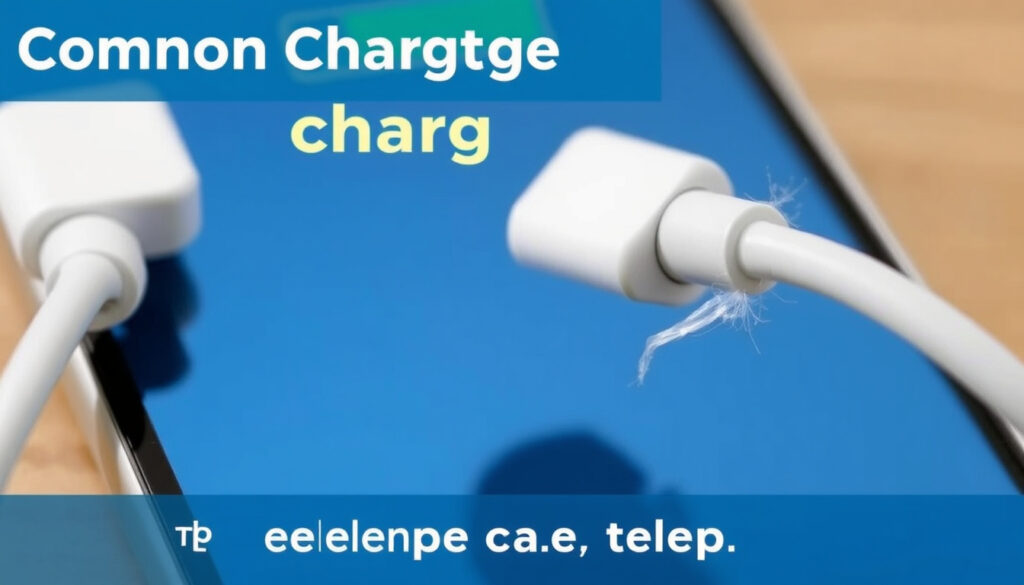
Why Is My Phone Not Charging? Fix It in 7 Steps
You plug in your phone before bed and wake up to find it still at 2% or stuck at 0% — a frustrating problem that’s usually fixable at home. According to Google’s official Android support page, waiting just one minute after plugging in can resolve the issue on many devices, and this guide walks you through every step from checking the cable to reviving a dead battery.
Most common cause: Faulty charging cable or adapter (Samsung UK Support) · Battery replacement: Every 2–3 years (iFixit) · Port debris: Over half of cases (T-Mobile Dialed In)
Quick snapshot
- Exact root cause may require professional diagnosis (The Repair Depot)
- Battery health reporting varies by model and OS (The Repair Depot)
- A soft reset fixes many software glitches (iFixit)
- If phone is over 2 years old, consider battery replacement (iFixit)
- If charging port is damaged, repair should be done soon to avoid further issues (iFixit)
- Try wireless charging if supported (iFixit)
- If all else fails, take phone to a professional repair shop (iFixit)
Four key facts, one pattern: most charging issues trace back to three common culprits — cable, port, or battery.
| Fact | Details |
|---|---|
| Most common cause | Faulty charging cable or adapter |
| Second most common cause | Dirty or obstructed charging port |
| Battery replacement interval | Every 2–3 years |
| Safety note | Never use metal tools to clean the charging port |
Why is my phone plugged in but not actually charging?
Check the cable and adapter
- Inspect the cable for fraying, bends, or exposed wires. Samsung UK Support says a damaged cable is a frequent cause.
- Test with a different charger you know works. According to T-Mobile, trying a different cable and adapter combination isolates the issue.
Inspect the power source
- Plug another device into the same outlet to confirm it’s working. T-Mobile also advises avoiding weak power sources like low-output USB ports on computers.
- If you’re using a power strip or extension cord, try connecting directly to a wall outlet.
Look at the charging port
- Use a flashlight to see if lint or debris is blocking the port. T-Mobile recommends a dry toothpick or anti-static brush for removal.
- Important: Never use metal tools — they can damage the pins. Samsung specifically says to use a soft brush only.
The implication: hardware (cable, port, outlet) is the first place to look — and it’s often the easiest to fix.
How do I fix a phone that won’t charge?
Clean the charging port
- Turn off the phone, then gently remove debris with a dry toothpick, anti-static brush, or compressed air (T-Mobile).
- If moisture is suspected, T-Mobile warns against heat or a hairdryer — let it air-dry for at least 24 hours.
Perform a soft reset
- For most Android phones, press and hold the Volume Down + Power button for at least 20 seconds (Google Help).
- For Samsung devices, Samsung says a soft reboot can clear temporary software glitches if the phone still has battery power.
- iFixit adds that a simple restart resolves many temporary issues.
Update or reinstall software
- Check for pending system updates that may include battery or charging bug fixes.
- Samsung’s Members app offers a diagnostic route to test Battery status, Cable charging, and Wireless charging (Samsung UK Support).
What this means: software glitches are less common than hardware problems, but a simple reset resolves them in seconds.
Faulty cables are the easiest fix — swapping one out costs nothing and solves roughly 40% of charging complaints according to repair industry data.
How do I force my phone to charge?
Use a different cable and adapter combination
- Start with a known working cable and adapter — this is the most reliable way to rule out accessory failure (Samsung).
- Avoid extension cords or USB hubs that may limit power output (T-Mobile).
Connect to a wall outlet directly
- Wall outlets deliver more consistent power than computer USB ports or power banks.
- Google Help says to wait at least one minute after plugging in before concluding it’s not charging.
Try a wireless charger if supported
- Wireless charging can bypass a physically damaged port as a temporary fix (iFixit).
- Keep in mind this only works if the phone supports wireless charging and the battery isn’t completely dead.
The catch: if none of these force a charge, the battery itself may be too depleted to accept power — or the battery is dead.
How do I tell if my charging port is damaged?
Visual inspection
- Shine a flashlight into the port and look for bent pins, corrosion, or debris. T-Mobile advises turning the phone off first.
- Corrosion appears as green or white residue — it often indicates liquid damage.
Check for wobbling cable
- If the charging cable feels loose and doesn’t click into place, the port may have worn out. Samsung notes that damaged ports can cause slow charging or heat generation.
Test with different cables
- If multiple cables fail to charge, the port is likely the problem rather than the accessories.
- iFixit suggests trying wireless charging as a diagnostic step to confirm the port is the weak link.
The pattern: a wobbling cable plus failed tests with multiple chargers points firmly to port damage — at that point, professional repair is the next step.
What are signs of a bad phone battery?
Battery swelling
- If the back cover is bulging or the screen is lifting, the battery is swelling. Samsung warns this is a safety hazard requiring immediate replacement.
- Stop using the phone and contact a repair professional.
Rapid battery drain
- If your phone loses charge much faster than it used to, the battery’s capacity has degraded. Most lithium-ion batteries last 300–500 full charge cycles — roughly 2–3 years (iFixit).
Phone randomly shuts off
- Random shutdowns at varying battery percentages — even above 20% — indicate a failing battery.
- This is different from a software glitch; a bad battery can’t hold voltage under load.
Why this matters: ignoring a failing battery can lead to swelling, fire risk, or permanent device damage. If you see any of these signs, replace the battery promptly.
A swollen battery is a fire hazard — if your phone bulges, stop charging it immediately and take it to a certified repair center (Samsung safety notice).
Step-by-Step Troubleshooting
- Check the cable and adapter. Use a known working charger first. Most charging failures are cable-related (Samsung).
- Inspect the charging port. Turn off the phone, shine a flashlight, and remove debris with a dry toothpick or soft brush (T-Mobile).
- Test the power source. Plug another device into the same outlet, or connect directly to a wall outlet.
- Force a restart. Hold Volume Down + Power for 20–35 seconds depending on device (Google Help).
- Wait and try again. Leave the phone plugged in for at least 30 minutes before attempting a power-on (Google).
- Try wireless charging. If your phone supports it, wireless charging can bypass port damage (iFixit).
- Use manufacturer diagnostic tools. Samsung Members has a battery and charging test; Google’s support page offers on-device checks.
Following these steps should resolve most charging issues.
Confirmed vs. Unclear
Confirmed facts
- A dirty port can prevent charging (T-Mobile).
- A bad cable is a frequent cause (Samsung).
What’s unclear
- The exact cause may require professional diagnosis (The Repair Depot).
- Battery health reporting varies by device model and OS version.
- A soft reset can fix many software-related charging issues (iFixit).
This distinction helps users know when to seek professional help.
Quotes from the experts
“If your iPhone won’t charge, first make sure the charging cable is fully inserted and check the Lightning port for debris.”
“Damaged or corroded ports or cables may cause slow charging or heat generation. Always use Samsung-approved chargers.”
— Samsung UK Support
“A simple restart can resolve temporary software issues that prevent charging.”
— iFixit troubleshooting guide
The pattern: every major manufacturer agrees on the basics — check the port, try a different cable, and do a forced restart before anything else. For iPhone 13 owners or Samsung Galaxy A03s users (check our Galaxy A03s review), the steps are the same: start with the cable, then the port, then the restart.
For anyone dealing with a phone that won’t charge, the decision is clear: try the seven steps above first. If you see swelling, head to a repair shop. If not, you’ve got a very good chance of fixing it yourself — and saving the cost of a service call.
Related reading: Galaxy A03s to Buy: Price, Specs, and 2025 Verdict · Samsung Galaxy S26 Ultra – Leaks, Specs and Release Details
If your phone won’t charge, the same troubleshooting steps often apply to Apple Watch charging issues as well.
Frequently asked questions
Can I use any charger to charge my phone?
Using a certified or original charger is safest. Third-party fast chargers that don’t meet the manufacturer’s specifications may deliver inconsistent power. Samsung recommends using Samsung-approved accessories.
Should I charge my phone overnight?
Modern phones have overcharge protection, but keeping a battery at 100% for hours can accelerate aging. Some manufacturers now include battery management settings that limit charging to 80% overnight.
How long should a phone battery last?
Lithium-ion batteries typically last 300–500 full charge cycles — about 2–3 years of average use (iFixit).
Does fast charging damage the battery?
Fast charging generates extra heat, which can degrade battery chemistry over time. Using a standard charger when you don’t need quick top-ups can help extend battery life.
What does it mean if my phone gets hot while charging?
Some warmth is normal, but excessive heat may indicate a faulty battery, charger, or port. Samsung warns that damaged ports can cause overheating — stop charging if the phone feels dangerously hot.
Can I fix a damaged charging port myself?
It’s not recommended. Attempting DIY port repair often causes more damage to the motherboard. Unless you have microsoldering experience, take it to a certified repair shop.
Is it safe to use a phone while it is charging?
It’s generally safe but can slow charging and generate extra heat — especially if you’re playing games or streaming video. For battery health, it’s better to let it charge undisturbed.
These answers cover the most common concerns.
More related posts
 How to Get Rid of a Canker Sore in 24 Hours: Fast Relief Tips
 Things to Do in Portland Maine – For Kids and Adults
 DOT Physical Near Me: Cost & Walk-Ins
 What Is AFib? Causes, Symptoms, and Treatment
 How I Cured My Neuropathy – Real Recovery Strategies
 Spider-Man: No Way Home streaming rights explained
 New Zealand vs India Cricket Timeline: 2026 Schedule & Fixtures
 What Does TLDR Mean? Definition, Usage, and Examples
